bcrypt
What is bcrypt ?
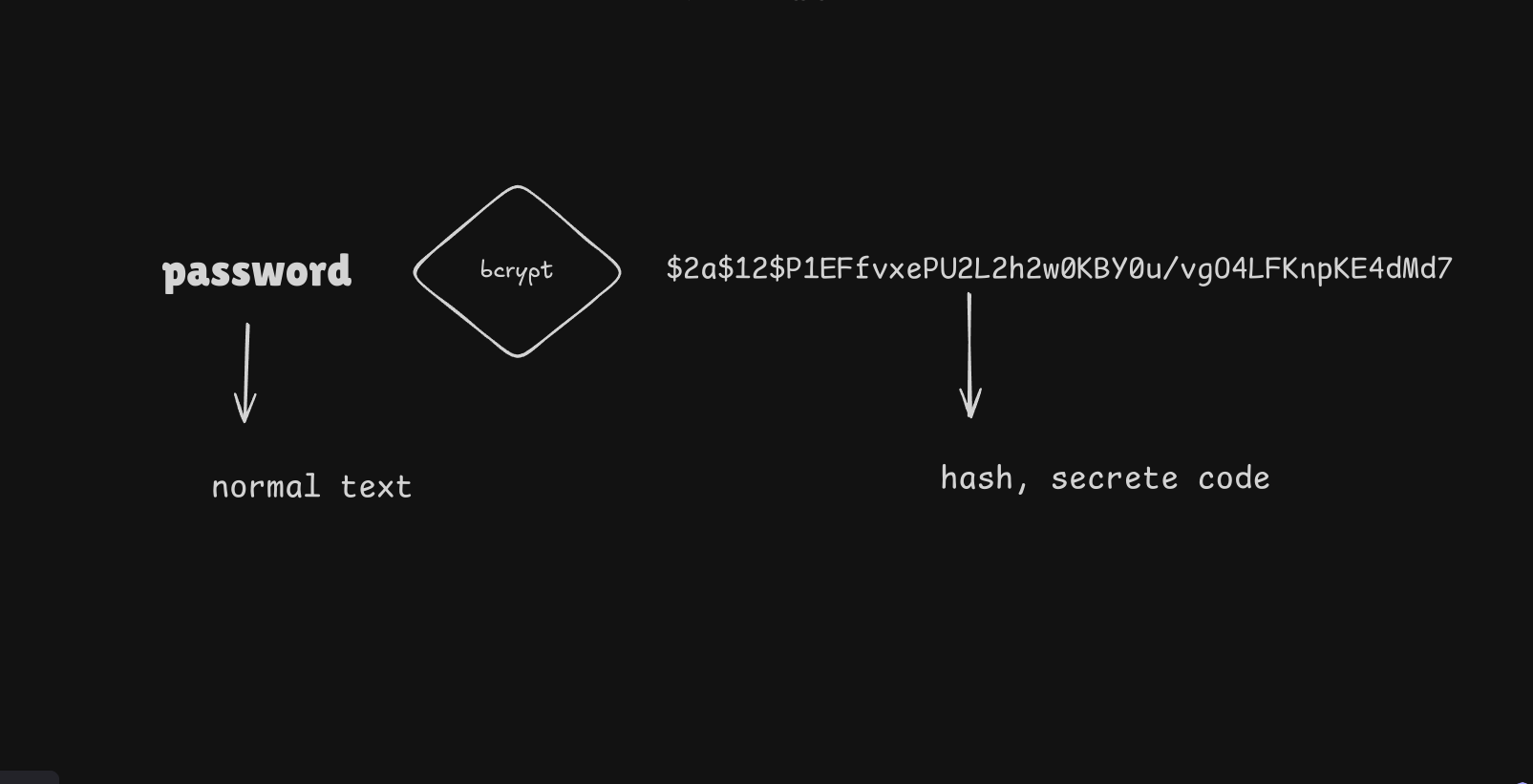
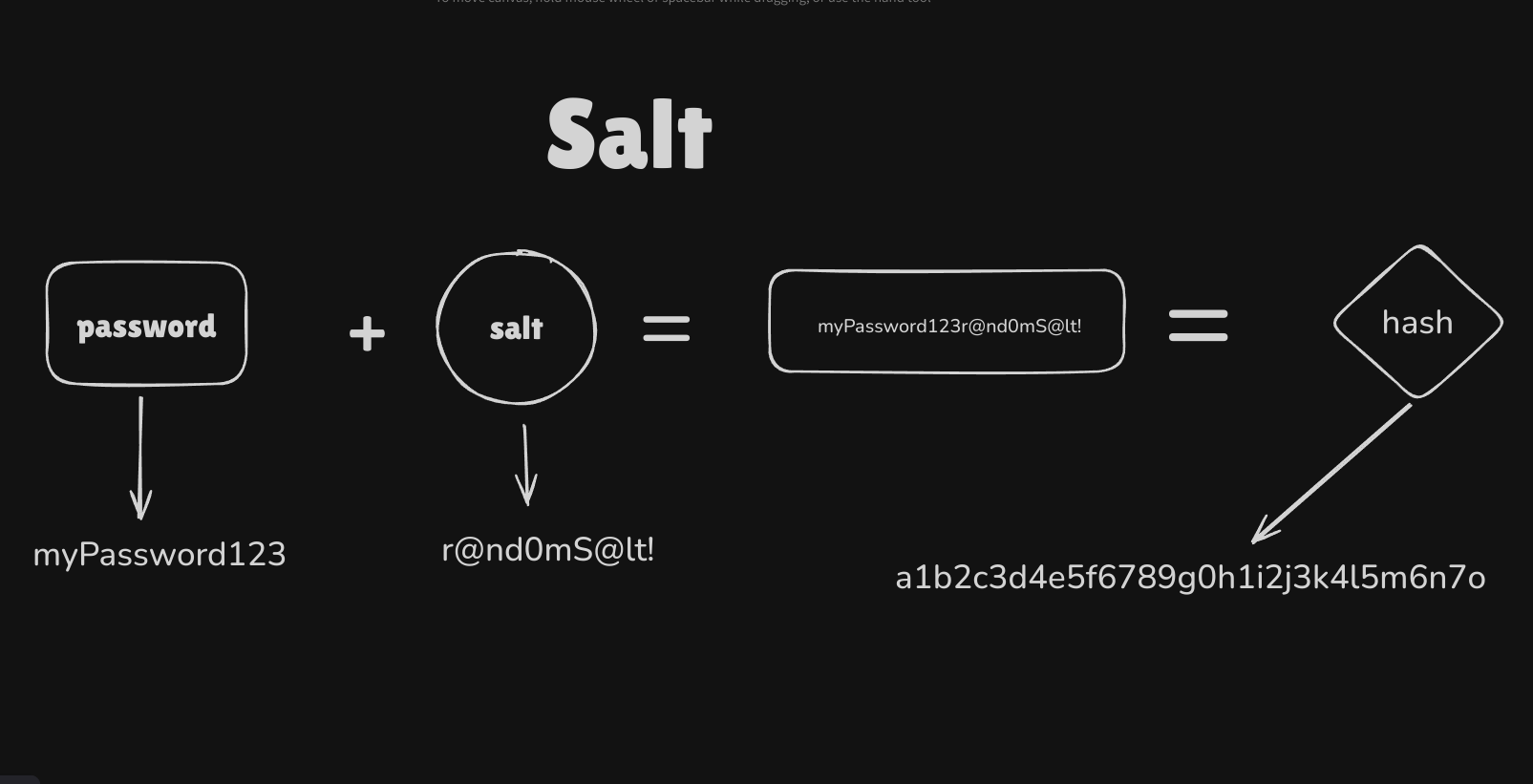
Bcrypt is a tool that turns passwords into secret codes (hashes) and adds a random value (salt) to make each password unique. This keeps passwords safe by making them hard to crack, even if someone finds the code.
What Salt is ?
Bcrypt Use Cases for Password Security
1. Secure Login Systems
- Stores hashed passwords instead of plain text.
- At login, the password is re-hashed and checked against the stored hash.
2. Protection from Data Breaches
- Even if a database is hacked, hashed passwords can’t be easily reversed.
3. Stops Rainbow Table Attacks.
A rainbow table attack is when hackers use a list of
pre-made password hashesto guess passwords quickly.Bcrypt stops this by adding a random value
(salt)to each password, making every hashuniqueand harder to guess.
4. Slows Down Brute-Force Attacks.
- It takes extra time to hash, making guessing passwords much slower.
How to use bcrypt package ?
1. Install bcrypt package by command given below.
npm install bcrypt
2. Hash a Password
import bcrypt form "bcrypt"

const saltRounds = 10;
const plainPassword = "user_password123";

async function hashPassword() {
  const salt = await bcrypt.genSalt(saltRounds);
  const hashedPassword = await bcrypt.hash(plainPassword, salt);
  console.log("Hashed Password:", hashedPassword);
}
hashPassword();
- Import Bcrypt: The bcrypt library is loaded to handle password hashing.
- saltRounds: This sets how strong (and slow) the hashing process should be. The higher the number, the more secure but slower it is.
- plainPassword: This is the password that we want to secure (in this case, "user_password123").
- hashPassword function
- Generate Salt: The bcrypt.genSalt(saltRounds) function creates a random value (salt) to make the password hash unique.
- Hash Password: The bcrypt.hash(plainPassword, salt) function combines the plain password with the salt to create a secure hash.
- Print Hashed Password: Finally, the hashed password is shown on the screen.
3. Verify a Password
To compare a password during login
import bcrypt form "bcrypt"

const hashedPasswordFromDB = "$2b$10$A1B2C3D4E5...";

async function verifyPassword(inputPassword) {
  const match = await bcrypt.compare(inputPassword, hashedPasswordFromDB);
  if (match) {
    console.log("Password is correct!");
  } else {
    console.log("Invalid password!");
  }
}

verifyPassword("user_password123");
1. hashedPasswordFromDB: This is an example of a stored hashed password in the database.
2. verifyPassword function:
- inputPassword: The password entered by the user (e.g., "user_password123").
- Compare Password:
bcrypt.compare(inputPassword, hashedPasswordFromDB)checks if the entered password matches the stored hashed password.
3. Print Result:
- If the password matches, it prints: "Password is correct!"
- If it doesn’t match, it prints: "Invalid password!"